
For creators
Analyse
before you post
Know exactly what to fix before you post. Upload a clip and Virra grades the hook, pacing, audio and on-screen text, with notes pinned to the moments that need work.
 Free to download, and your first clip gets a free grade. iPhone only.
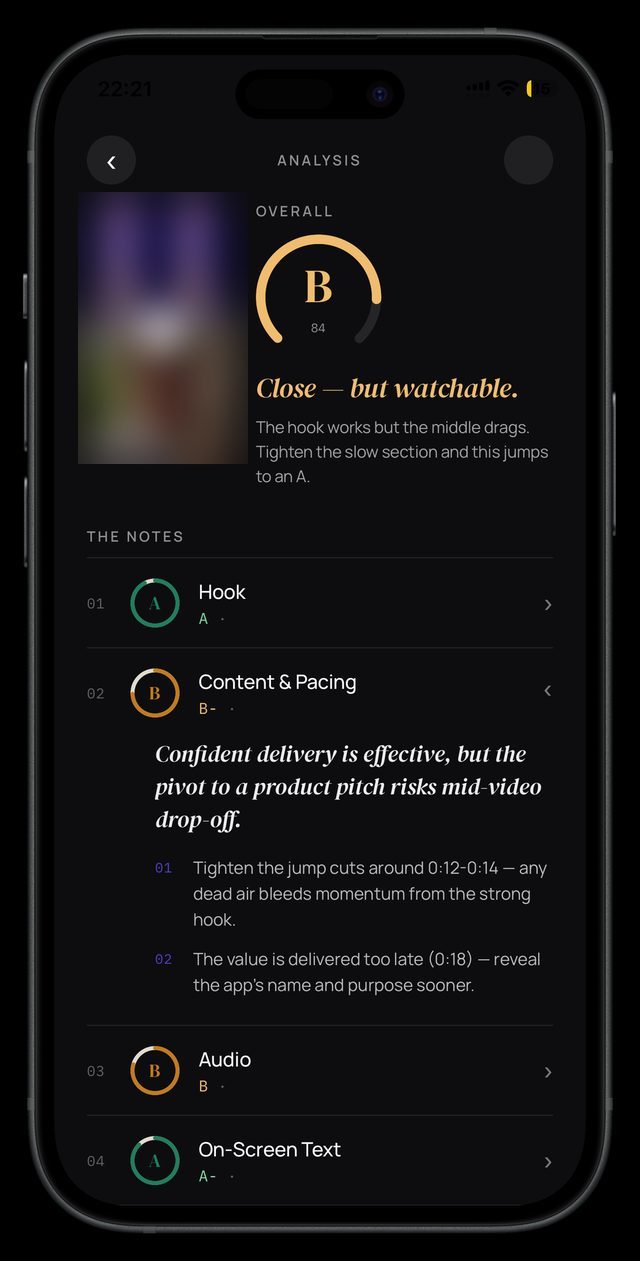
Close - but watchable.
The hook works but the middle drags. Tighten the slow section and this jumps to an A.
- 01AHookA
- 02BContent & PacingB-
Confident delivery is effective, but the pivot to a product pitch risks mid-video drop-off.
01 Tighten the jump cuts around 0:12-0:14 - any dead air bleeds momentum from the strong hook.
02 The value is delivered too late (0:18) - reveal the app's name and purpose sooner.
- 03BAudioB
- 04AOn-Screen TextA-
How it works
Most feedback arrives after the views are gone. Virra gives it before
It breaks a clip down into the parts that decide whether people keep watching, then tells you what to fix.
- 01
Drop a clip
Any short-form video, straight from your camera roll. Nothing needs to be posted first.
- 02
Get graded
Virra grades the hook, content and pacing, audio and on-screen text from A to D, plus an overall grade, the way an experienced editor would.
- 03
Fix it, re-grade, post
Every grade comes with specific notes, pinned to moments in your clip: what worked, what costs watch time and exactly what to change. Re-upload the edit and Virra tells you what improved.
What you get
Feedback you have never had
Grades you can act on
Not a vague score. Each dimension is graded separately, and every grade opens into plain-English notes tied to moments in your clip.
Hashtags for your niche
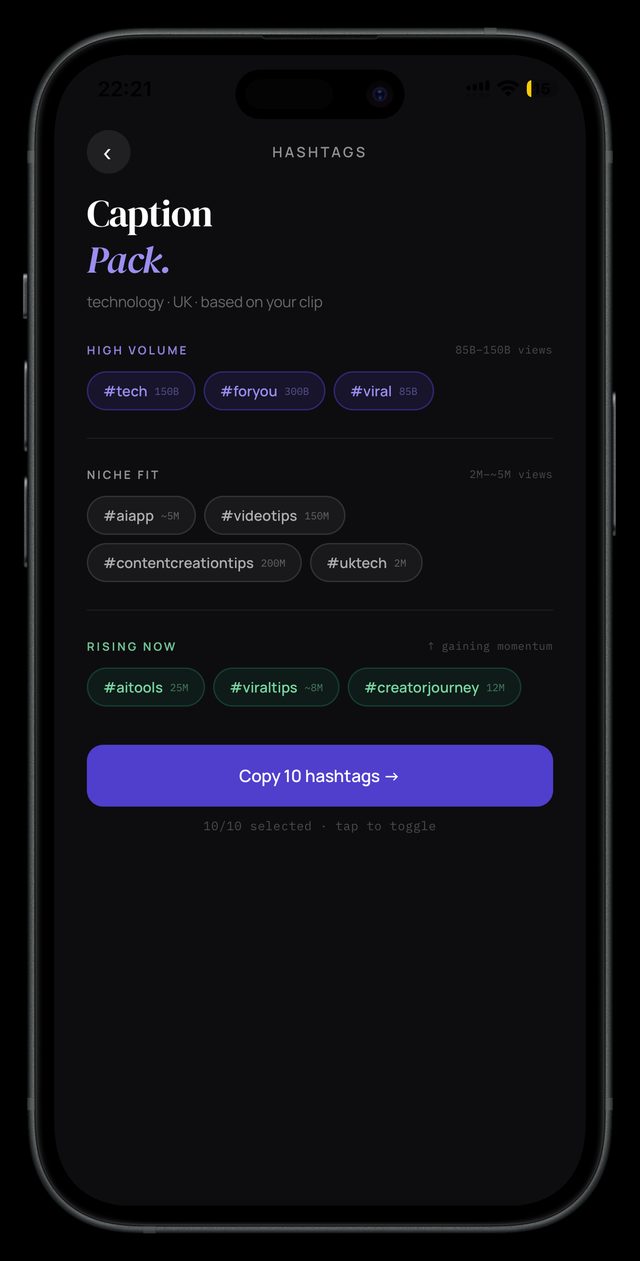
Suggestions tuned to your category and region, split into broad, niche-fit and rising tags. Copy them in one tap.
Every analysis on your Timeline
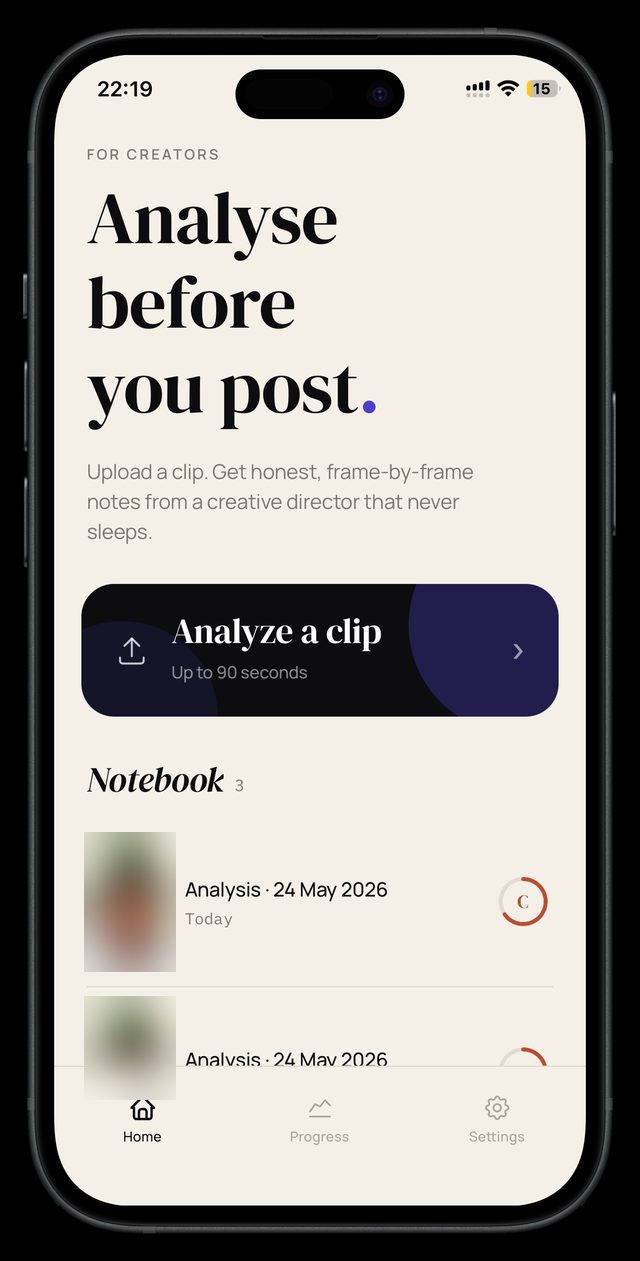
Everything you have graded, in one place. Group clips into projects and spot what your best-performing videos have in common.
Progress you can see
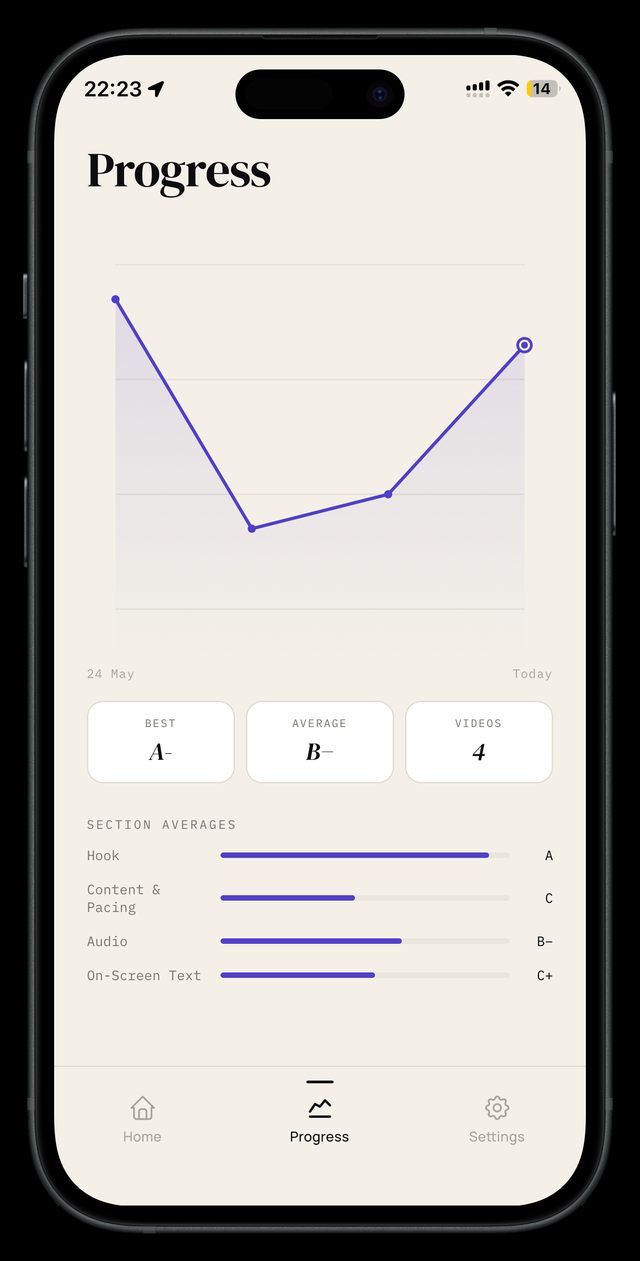
Your grades charted over time, with section averages for hook, pacing, audio and on-screen text, so every upload builds on the last.
Pricing
One plan. A free trial on weekly or annual
Virra Pro
$29.99/year
or $1.99 a week. New subscribers start with a free trial on either plan.
- Unlimited video analyses, graded A to D with notes
- Hashtag suggestions for your niche
- Timeline, project folders and progress tracking
- Cancel any time from iPhone settings
How the trial works
Download the app for free, set up your niche and goal, and your first clip gets a free grade. Pick weekly or annual and, if you're new to Virra Pro, you start with a free trial of everything in Pro. Cancel at least 24 hours before it ends and you pay nothing.
Cancelling is two taps in your iPhone's Settings, and you keep access until the trial ends.
Prices in US dollars. Sales tax may be added at checkout. Subscriptions are billed by Apple and renew automatically unless cancelled at least 24 hours before the end of the period.
Questions
Straight answers
Do I need to post the video first?
No. Virra grades the clip before you post it, so you can fix the hook or the pacing while it still matters.
What does Virra look at?
Four areas: the hook, content and pacing, audio, and on-screen text. Each gets its own grade from A to D and its own notes, and the clip gets an overall grade.
Does it predict how many views I will get?
No. Virra does not predict views or promise that anything will go viral. It grades the parts of a clip that decide whether people keep watching, and tells you what to fix.
What happens when I re-upload an edit?
Virra compares the new cut with the last one and tells you what improved, what still needs work and anything new that crept in, with an updated grade.
Which platforms is it for?
Virra is built for TikTok creators, and the same notes apply to Reels and Shorts, because the first three seconds work the same way everywhere.
Is my video stored?
No. Your clip is sent for analysis over an encrypted connection and deleted once the analysis is complete. Virra keeps the grades, the notes and a single thumbnail, and you can delete those at any time. See the privacy policy for the full detail.
How much does it cost?
The app is free to download, and your first clip gets a free grade. Grading more clips needs Virra Pro: $1.99 a week or $29.99 a year, and new subscribers start with a free trial on either plan. Cancel any time from your iPhone settings.
Android?
Virra is iPhone-only today. Follow us on TikTok or Instagram for news on Android.
Stop guessing. Start growing
Grade your next clip before it goes out.